Cookies are going away, and it is getting harder to bring visitors back to your website once they leave. The way around it is to capture their email and turn them into repeat customers with automated emails.
Here is how to set that up in Shopify.
What email automation does for you
Once it is set up, email automation runs on its own. It welcomes new customers, reminds shoppers who abandoned their cart, follows up after a purchase, recommends products and wins back customers who stopped buying.
How to set up email automation in Shopify
Getting started with Shopify Flow
-
Install the app
-
Go to the Shopify App Store
-
Search for “Flow”
-
Click “Add App” to install it
-
-
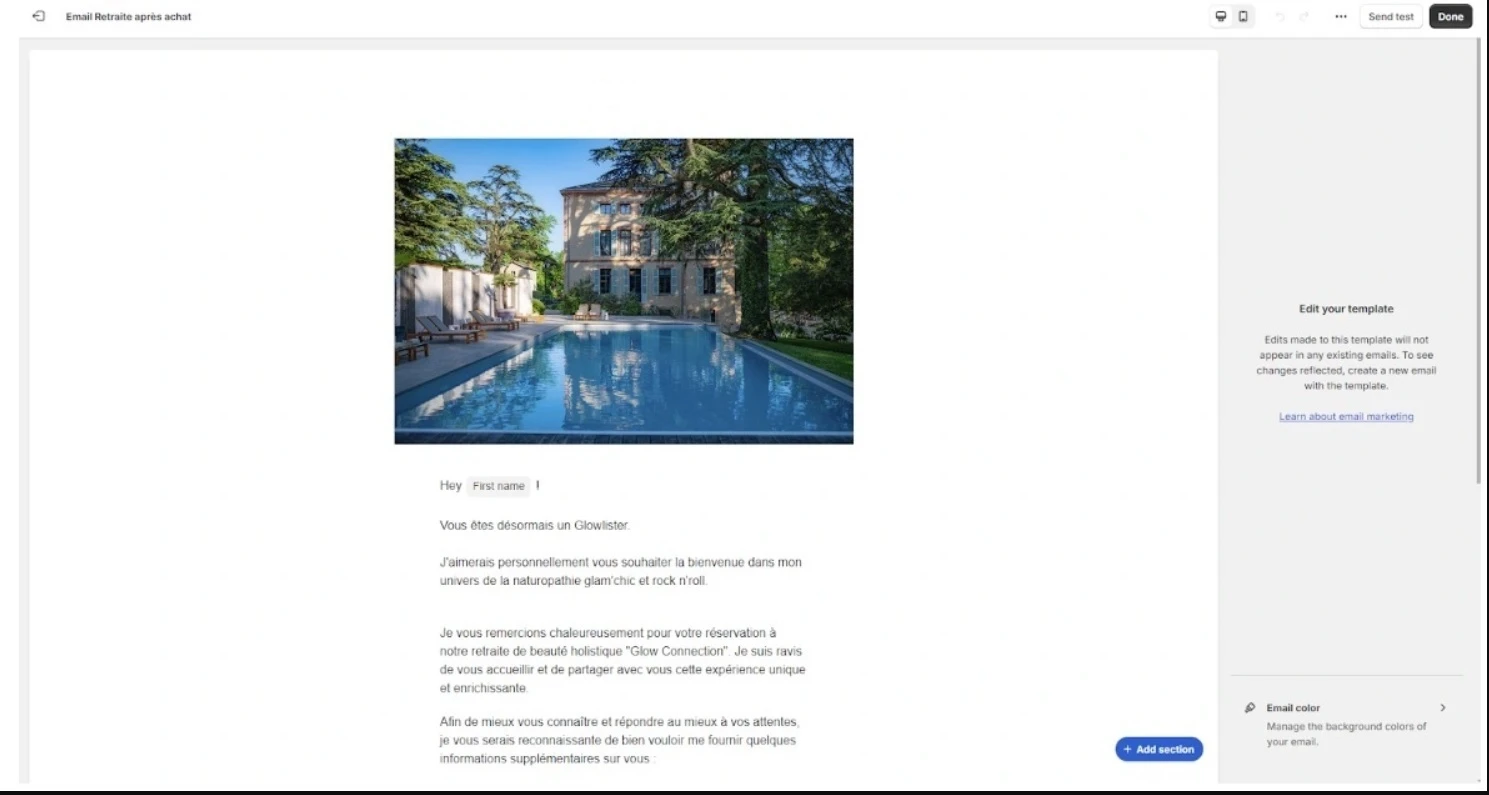
Create your email template
-
Go to Email > Templates
-
Click “Create New Template”
-
Save your template
-
-
Build your automation workflow
-
Go to Marketing > Automation
-
Add the email you just created to the workflow
-
Set the triggers, such as product tags or customer actions
-
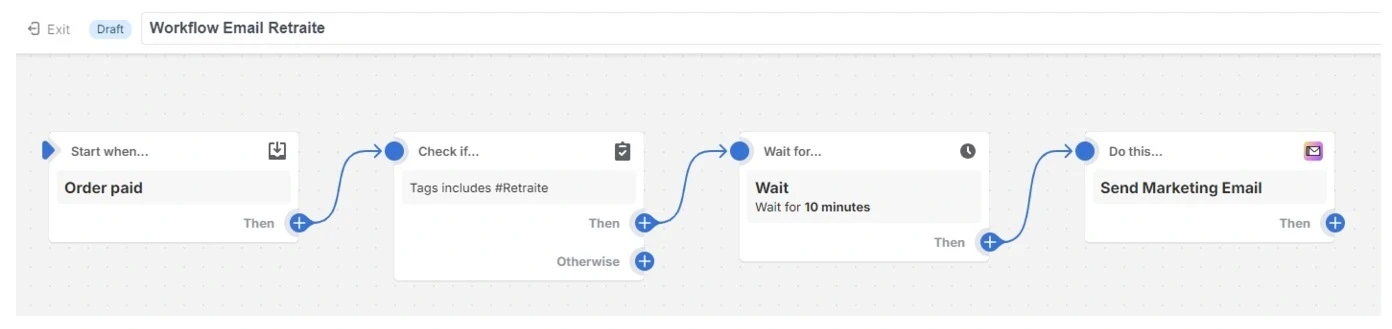
In the example above, we send an email when someone orders a product with the tag #retraite.
Writing the emails
AI tools like ChatGPT or Claude.ai help you write emails faster. Edit what they produce and add your own touch: nobody knows your brand voice better than you.
Segment your list
Don’t send the same message to your entire list. The emails that work are the ones that feel written for the person reading them.
Think about your own inbox: why do you open some emails and delete others unread? Split your audience into groups that make sense, for example by what they bought before or what they looked at on your site.
Common mistakes
-
Sending several emails per day. Customers find it annoying.
-
Writing in robotic language. Write the way you would talk to a customer.
-
Setting it and forgetting it. Your email automation needs regular attention to keep working.
The bottom line
Email automation lets you build a relationship with thousands of customers at once while each one gets a message that fits them.
Start small, test, and improve what works.