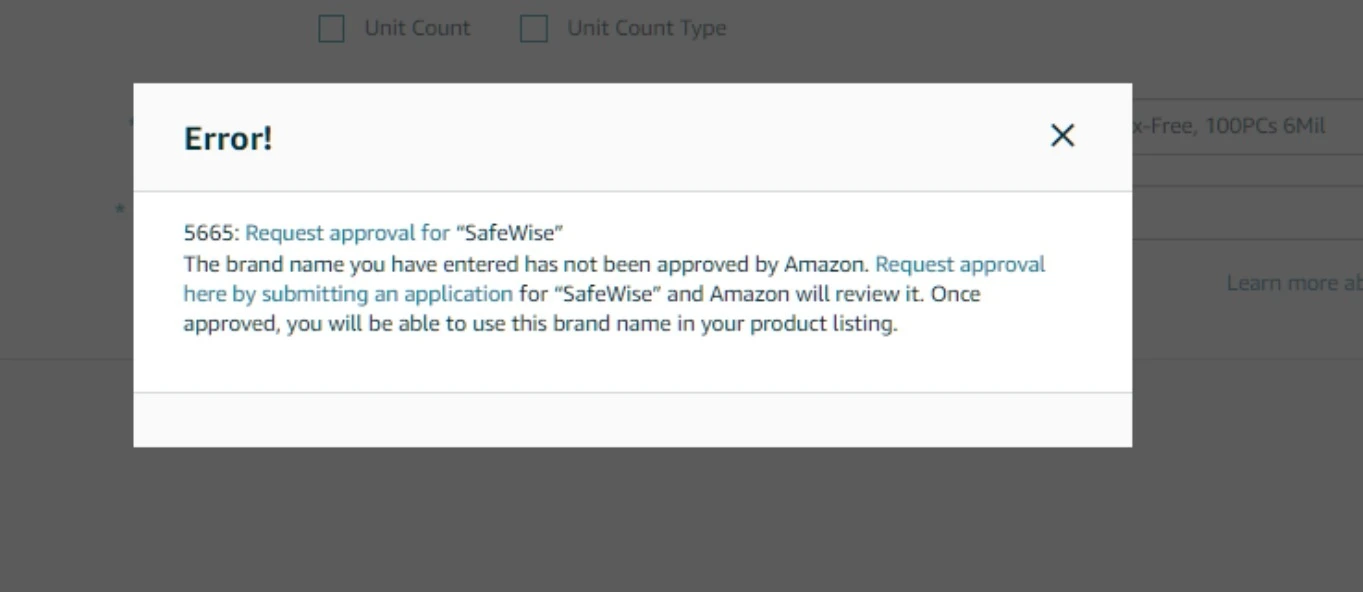
If you get Error 5665 when you try to list a product on Amazon, the brand is gated and you need Amazon’s approval to sell it. This guide explains why brands are gated and how to get ungated.
Why Amazon gates brands
Brand gating protects the marketplace, brands and customers from counterfeit products. Error 5665 is Amazon telling you that you need permission to sell this brand.
Amazon checks your credentials before it lets you list certain branded products. This matters because gating:
-
Keeps the products sold on Amazon authentic
-
Protects legitimate sellers from competing with counterfeit goods
-
Builds customer trust in Amazon and in your business
-
Lets brand owners keep control over how their products are distributed
What it means for your business
Until you are ungated, you can’t list products from that brand. If the brand is central to your product strategy, that limits your growth. The process is detailed, but it is manageable once you know what Amazon expects.
When you need brand ungating
There are two common cases:
-
You are listing a product from a gated brand for the first time
-
You are adding new brands to your catalog that are protected by Amazon’s gating policy
The sign is always the same: Error 5665 when you create the listing. It means Amazon needs more verification before you can continue.
How to ungate a brand, step by step
Step 1: Check the brand name
Before you apply, check how the brand name is spelled. It looks trivial, but it matters. A brand like “SafeWise” can appear in different formats:
-
SafeWise
-
Safe Wise
-
SAFEWISE
Amazon looks at the exact spelling and format, so double-check it before you go further.
Step 2: Prepare your photos
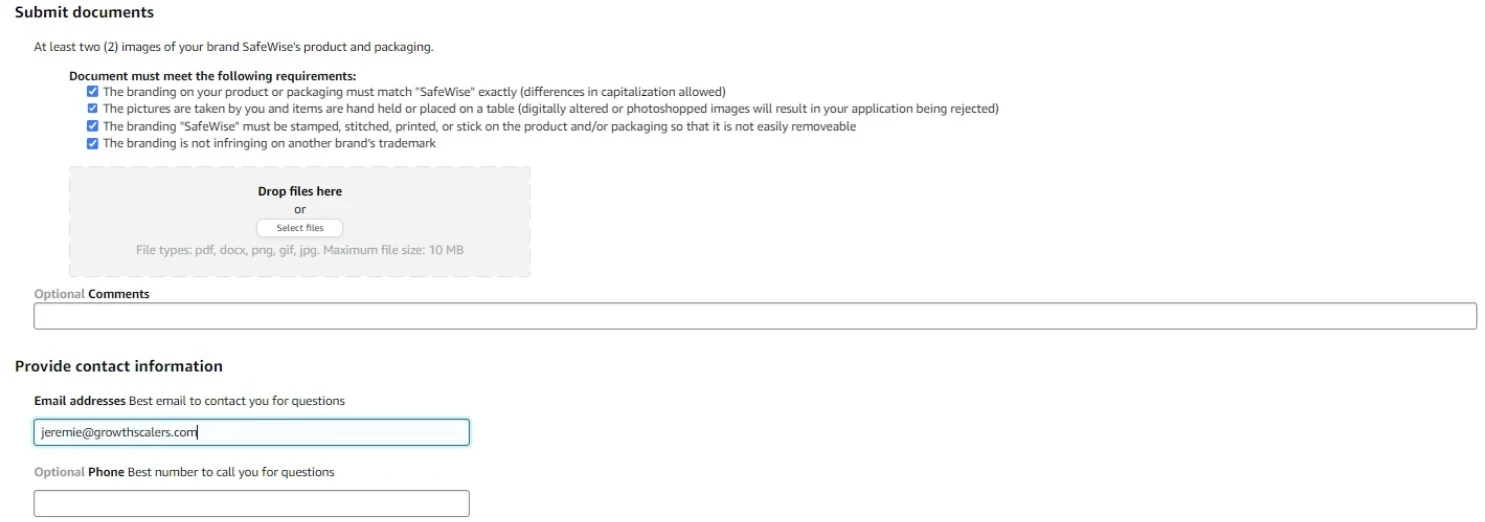
Amazon asks for at least two clear images showing your product and its packaging. The photos must meet these rules:
-
They show the brand name exactly as it appears in your application
-
They are real photos of the actual product, held in hand or placed on a table
-
They are not edited. Digitally altered images get rejected quickly.
-
The brand name is permanently affixed to the product or packaging: stamped, stitched or printed
-
The branding doesn’t infringe on any other trademark
Step 3: Submit your ungating request
-
Click the “Request Approval” button on the Error 5665 message
-
Go to Catalog > View Selling Application to find your draft

-
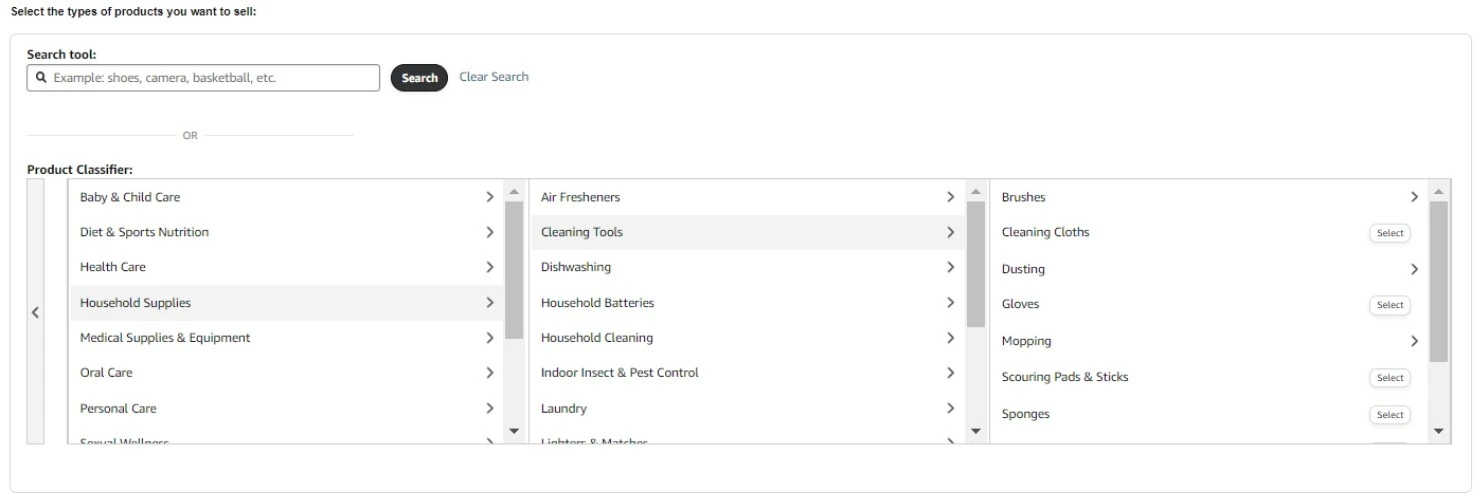
Select the browse node that matches your product category
-
Upload your photos
-
Review the compliance requirements checklist
-
Submit the application
Tips to get approved
-
Take clear, well-lit photos where the branding is easy to read
-
Check every requirement before you submit to avoid a rejection
-
Keep the original photos in case Amazon asks for more documentation
-
Be patient: approval can take some time
Need help?
Mistakes in the ungating process cost you time and sales. Our Amazon team handles these requests often and knows how they differ from one category to another.
If you are stuck on Error 5665 or need help managing your Amazon account, reach out to our team.
Ungating is not hard, but the details decide whether you are approved. Get the brand name and the photos right the first time.